 PrimalDesk
 Why the host stays online and how direct and relay connections work.
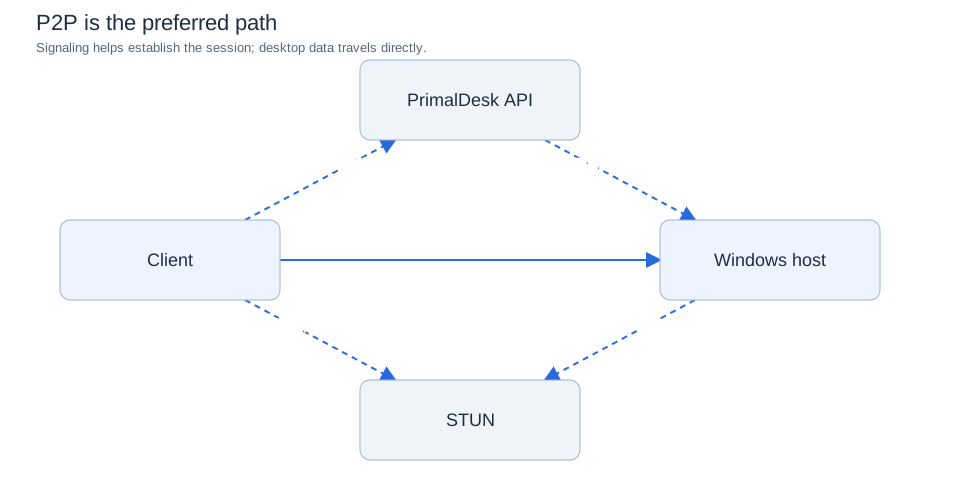
The Windows host keeps a control connection to api.primaldesk.com while it is available. This is required for license and entitlement checks, remote configuration, management of active sessions, and security: the service delivers access-policy changes and short-lived connection authorization and can revoke access when needed. A reachable UDP port alone is not enough to authorize a new session. If the host loses backend connectivity, do not assume new connections or policy changes will continue to work.
Direct connection
The client signs in and requests access. After authorization, it tries to establish an encrypted UDP path to the host. When that path works, screen, audio and input traffic travel directly between client and host; the backend remains involved in control and authorization.
Relay connection
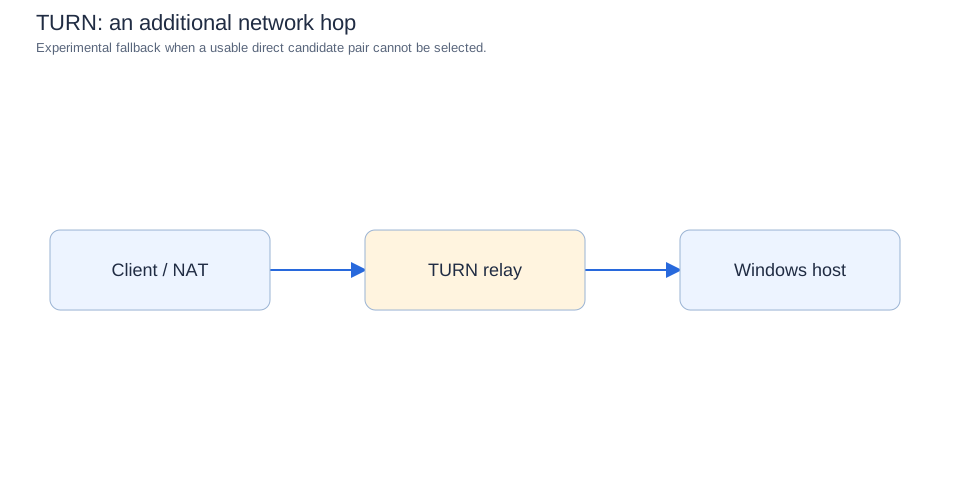
If a direct route cannot be established, a relay may forward the encrypted session traffic. The extra hop can increase delay and reduce available throughput. Relay support remains experimental; it is not a guaranteed fallback on every network.
Both the browser Workspace and Desktop client use the same account and host authorization model. Session UDP sockets are allocated as connections start; the host’s outbound control connection is separate. See Firewall and ports for current policy and Network quality and frame rate for performance expectations.