 PrimalDesk
Choose which installed Windows applications users can launch through Apps.
Publish applications from the PrimalDesk Host admin app on the host computer. Publishing adds a launch entry to the catalog; it does not install the application or grant additional Windows permissions.
Prepare Apps access
- Install and test the application on the host using the intended Windows account.
- Open Publishing → Apps settings and enable Allow new connections.
- Review the display and session settings, then save them. See Integration for monitor and capture limitations.
Add an application
In Publishing, choose Add application.
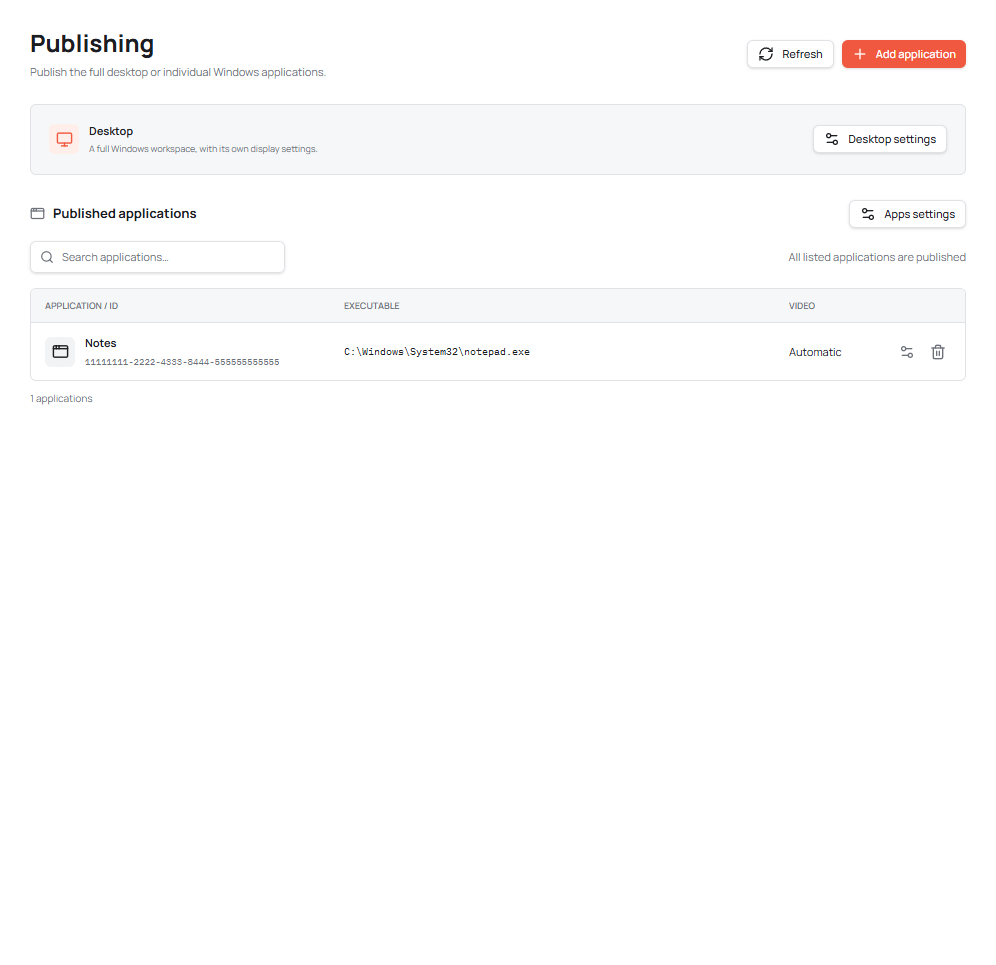
- Name: the label users see in the published list.
- Executable: select the installed program’s executable on the host. Use the browse button or enter its full path.
- Arguments: optional startup arguments required by that program.
- Working directory: the folder the program should start in, if it needs one.
- Force video: enable for applications that continuously update large areas, such as games or video editors. Leave it off for automatic rendering.
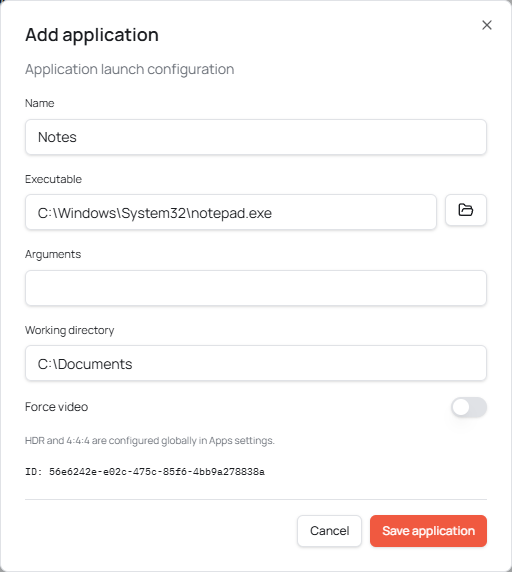
Choose Save application, connect in Apps mode, and launch it from the catalog. Test with the account that will actually use it. Programs may need their own licenses, first-run setup or access to files on the host.
Use the application’s configuration control to update an entry later. If an installer moves or replaces the executable, review the entry and save its current configuration. Remove an entry when it should no longer be offered. Removing a catalog entry does not uninstall the program.
Display capabilities and resource restrictions are managed in Apps settings, rather than independently for each catalog entry.