 PrimalDesk
Understand the scope of resource restrictions on published applications.
An administrator can apply system-resource restrictions to Apps sessions in Publishing → Apps settings → Apps resources. Published programs and their child processes share the configured limits within a session.
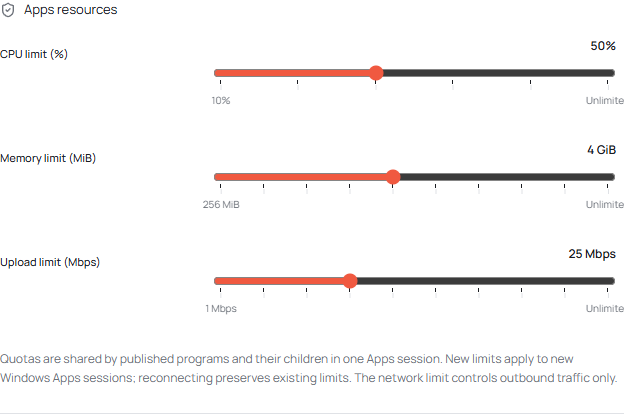
Restrictions are applied through a Windows job, which groups the processes launched for the Apps session. They normally extend to child processes created by those programs.
Save settings before starting a new Windows Apps session. Reconnecting to a retained session preserves its existing limits. If you need new restrictions to take effect, have the user save their work, sign out of the session and connect again.
These Apps restrictions do not apply to Desktop sessions. See Session types.